

Demo build on sample data

One platform for a dental practice, from the first enquiry to the chair

Lead replies, empty chairs, stalled treatment plans, records and billing on one screen, for the owner and the front desk.

This is a demo build. It runs on sample data. We keep the practice's name private.

At a glance

Demo build, sample data

Business
Multi-specialty dental practice
What we built
  • The front of the practice
  • Treatment plans and recalls
  • The clinical side
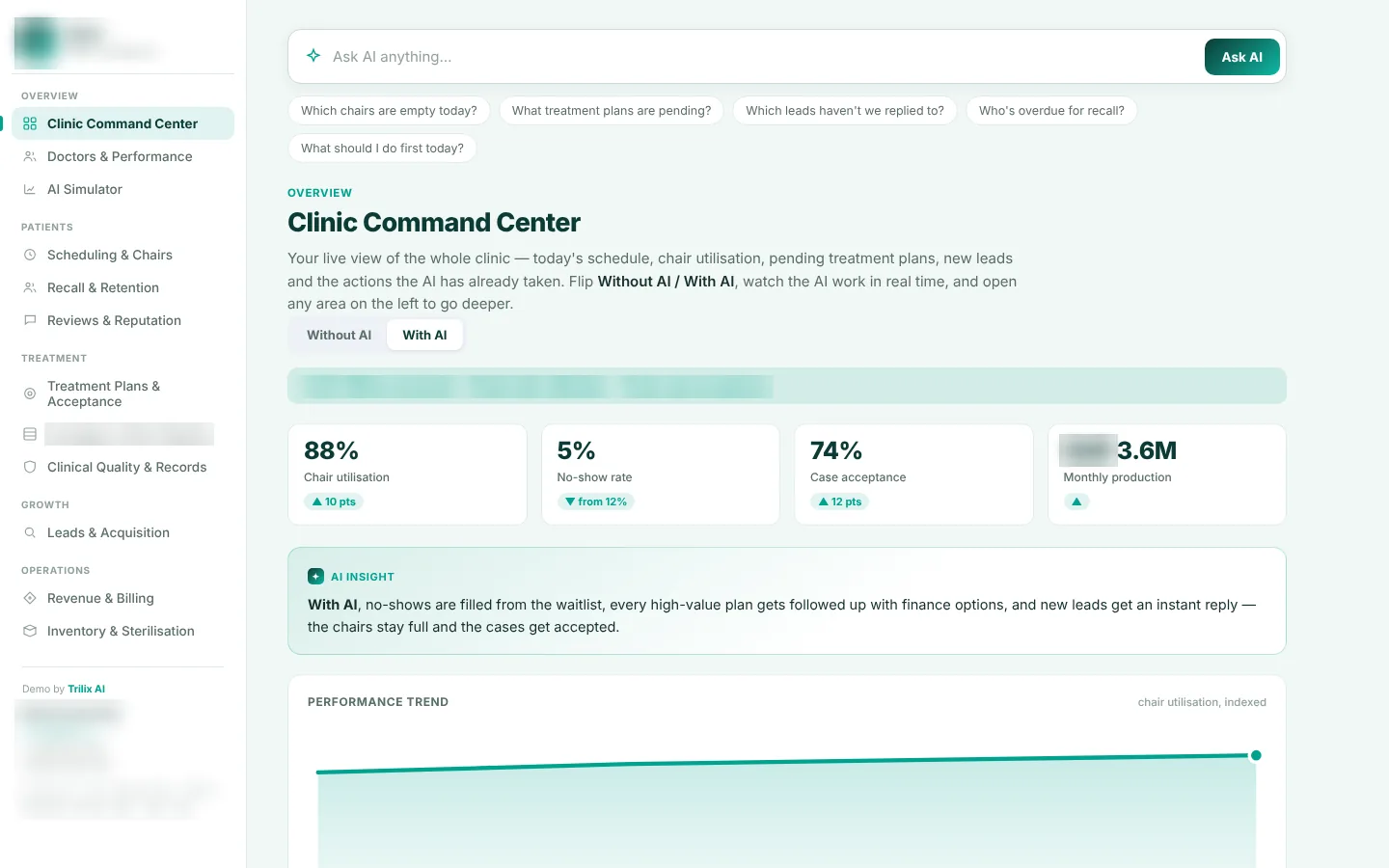
Dental practice demo build: clinic command center with chair use, no-show rate, case acceptance and production, and modules for scheduling, recalls, treatment plans, aligners, records, billing and inventory.
Clinic command center, dental practice demo.Demo build, sample data.

The problem

A busy dental practice loses money in quiet ways.

Someone messages at 10 p.m. and nobody answers until the next afternoon, so they book elsewhere. A patient doesn't show and the chair sits empty. A patient is quoted for implants, goes home to think about it and never hears back. Hundreds of past patients are overdue for a cleaning.

On the clinical side, some doctors are booked out for weeks while others have gaps. Aligner cases drift when patients stop wearing their trays. A missing consent form turns into a compliance problem. Insurance claims bounce on coding errors. The implant shelf is empty the morning of a surgery.

Each of these lives somewhere different, so the owner sees the whole picture at month-end, if at all.

What we built

The front of the practice

Every enquiry, from social messages, the phone or the website, gets a quick reply with open times and payment plan options. Unanswered leads are flagged. Cancellations are offered to the waitlist. A content tool drafts a week of posts in the practice's voice for the team to approve.

Treatment plans and recalls

Pending high-value plans are listed with a next step for each: a coordinator call, payment options or a reminder. Overdue patients are grouped by type, such as hygiene, check-up, retainer review or lapsed, each with a ready campaign.

The clinical side

Doctor performance, chair use, an aligner and ortho pipeline by stage, records checks on every visit, rejected claims ready to resubmit, and low-stock reorders.

What's in it

  • A clinic command center with chair use, no-shows, case acceptance and production, plus open issues to act on.
  • A simulator to test what a lower no-show rate or a faster reply time would do to the numbers.
  • Doctors and reviews, with a drafted thank-you and a gentle referral ask for happy patients, and a recovery message for unhappy ones.
  • Records checks for consent, X-rays and notes, flagged the same day.
  • Billing with outstanding balances and claims to correct and resubmit.
  • Inventory and sterilisation, with reorders on composite, implants and aligner kits, and logged cycles.
  • Ask a question like "which chairs are empty today?" or "who's overdue for recall?"

What it would take to go live

How the practice runs. The practice software, how each specialty books and follows up, how plans are presented and paid for, and the tone the practice wants in its messages.

Connections. Scheduling, billing, records and the messaging accounts, with the follow-up and reorder rules set by the team.

A first version in about 10 days, usually starting with lead replies and chair refills. Modules the practice doesn't need are left out.

The practice owns its patient data and the system.

See also AI for clinics and healthcare and the AI phone agent.

Run a dental practice?

Book a call and we'll show you the demo, from an unanswered lead to a refilled chair.