

Bay camera tracking on existing cameras
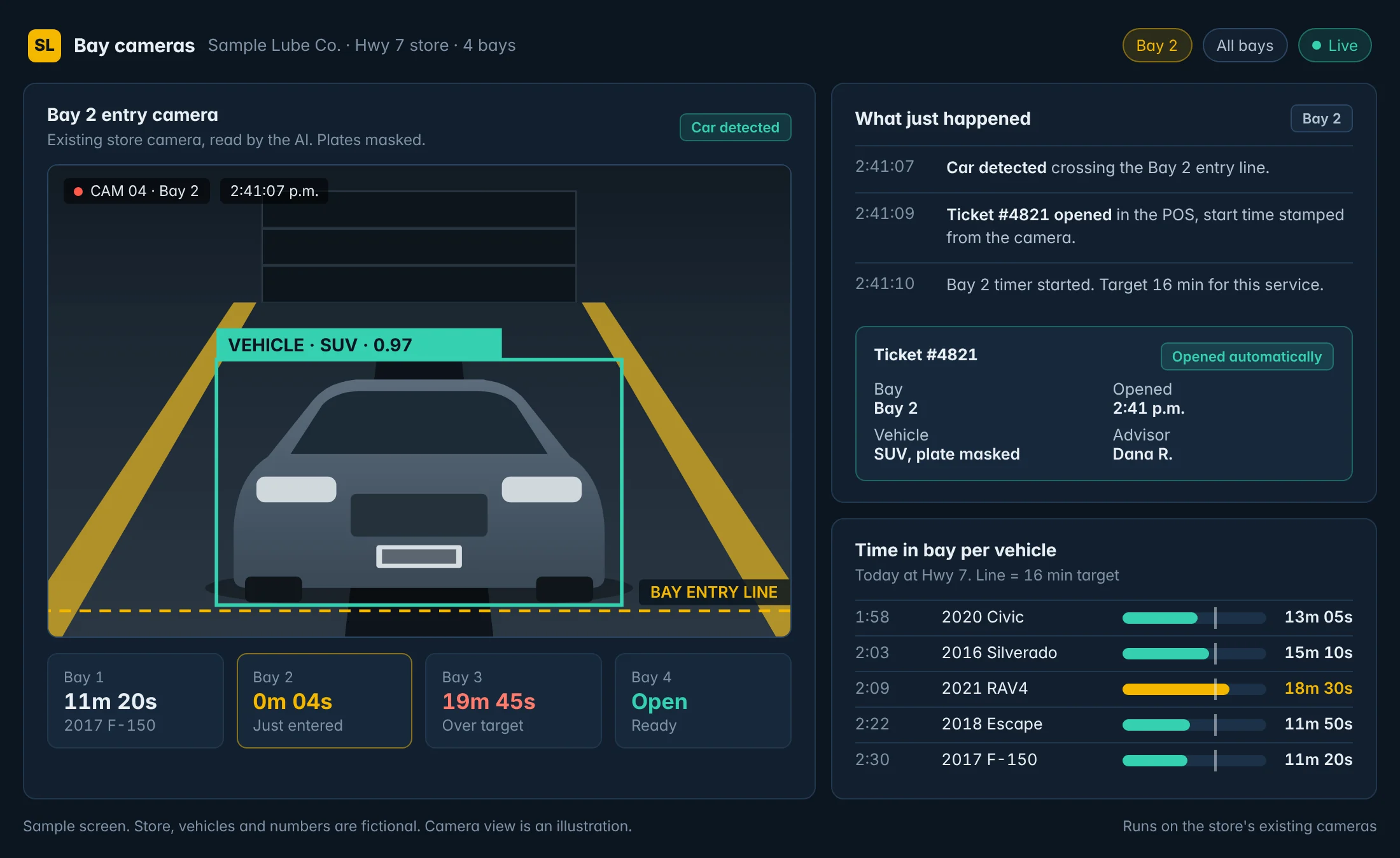
The cameras log every car that pulls into a bay: when it came in, when it left and how long it was there. No new hardware at the stores.
The cameras counted more cars than the POS. A car-by-car check showed why, and the fixes now run every day.
We keep client names private. This page covers what we built for this operator, what the check found and what we're adding now.
Published · Updated
At a glance
Client name kept private
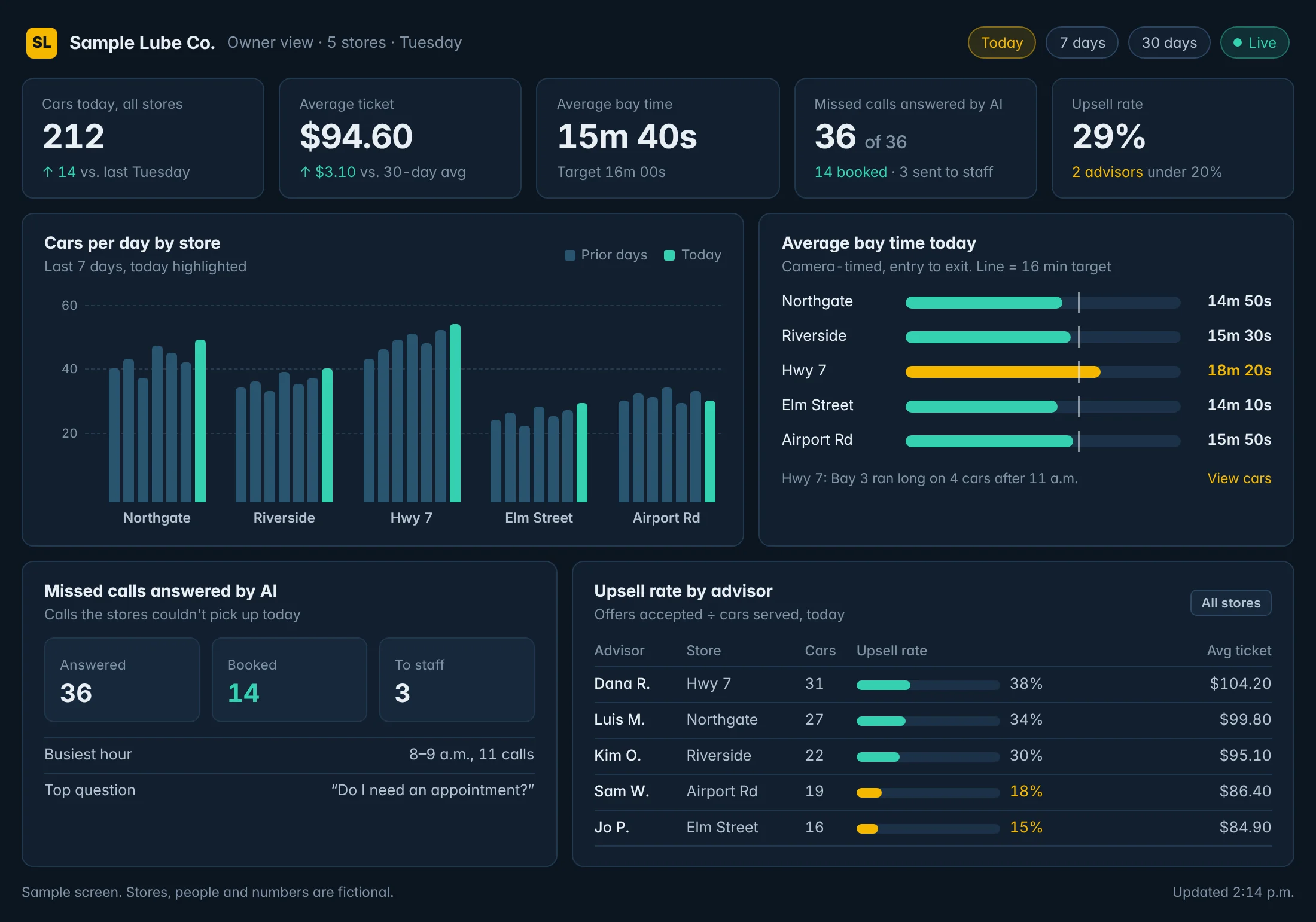
This operator runs several quick lube stores. Like most multi-store owners, he can't stand in every bay, so he wanted to know what's happening at each store without driving between them.
We'd already put bay camera tracking in his stores, running on the cameras he had. Each morning he gets a snapshot email for every store and for the group: cars serviced, average time in bay against last week, the share of cars over the 20-minute target, and the busiest hour.
Then he noticed something. The car counts in the snapshot didn't match his POS.
The cameras log every car that pulls into a bay: when it came in, when it left and how long it was there. No new hardware at the stores.
When a car pulls in, the system reads the plate and opens the order in the shop software, so the visit and the ticket start at the same time.
Cars, average time in bay against last week, the share of cars over target and the busiest hour, by store and rolled up, in the owner's inbox every morning.
A mismatch between the cameras and the POS can come from either side. The camera might double count, or the POS might be missing work. So we didn't guess. The team took one Friday and went through it car by car at every store: camera footage against the POS against the orders in the shop software.
Most of the gap had a plain explanation. But the check also showed cars that were serviced and never got a finalized order, so they were never billed. One example: an SUV that had two techs on it for 18 minutes and no finished ticket at the end.
That's the kind of thing an owner can't see from the POS alone, because the POS only knows about cars that got a ticket. The cameras know about every car.
This next phase is in progress, not shipped yet:
If your camera count and your POS count disagree, don't assume the worst and don't assume it's the camera. Check one day car by car, sort the gap into honest reasons, then fix what's left in the process. Our guide to quick lube KPIs by store explains how to define and track car count so every store counts the same way. Our guide to car count vs tickets lists the honest reasons to rule out first, and employees not ringing up oil changes covers what to do if some of the gap is work that never gets rung up.
See how the same setup works across the quick lube industry page, the camera analytics service and the owner dashboard. To run your own numbers, try the bay camera payback calculator.
Something else on your mind? Ask us directly or call 416-262-2723.
Bay camera tracking on existing cameras. The cameras log every car that pulls into a bay: when it came in, when it left and how long it was there. Plate reading that opens the order. When a car pulls in, the system reads the plate and opens the order in the shop software, so the visit and the ticket start at the same time.
It is client work for a real business. We do not publish the client’s name, because it is their data, not our marketing. This page covers what was built and how it runs day to day.
Tell us how your stores run today and what your POS is. We'll show you what the first check would look like.